Sources checked: 12 October 2026.
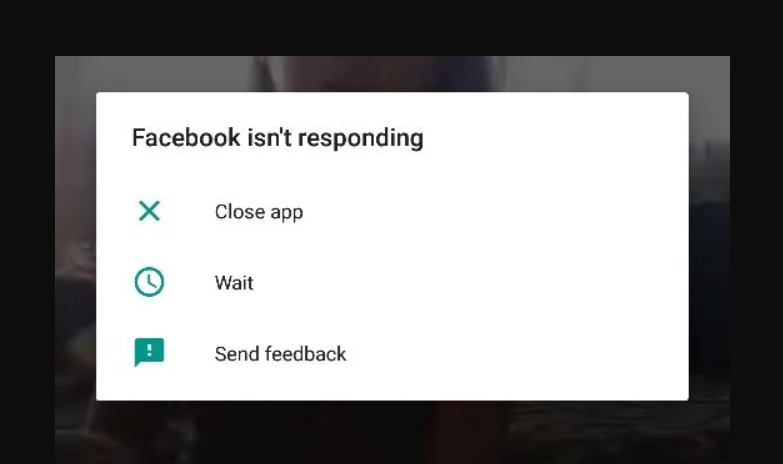
Separate a frozen app, a page-loading failure and an account sign-in problem. They need different checks. Write down the error and the action that triggers it; changing passwords is not a routine repair for a screen that will not load.
Compare the app, website and connection
- Check whether another ordinary website loads on the same device. If nothing loads, investigate the connection first.
- Open Facebook directly in an updated browser. If the website works while the app freezes, focus on the app rather than the account.
- Try a trusted alternative network when available, and record whether the behavior changes.
- If Facebook presents a locked-account, identity-check or policy notice, follow that notice instead of treating it as a browser crash.
These comparisons are diagnostic suggestions. They help narrow the problem; they do not prove a global Facebook outage.
For an Android app that will not respond
Update Facebook through Google Play > profile > Manage apps & devices, then restart your device and test again. Google’s installed-app troubleshooting guide covers updates and force stopping through device settings. Labels can vary by phone. Avoid clearing storage or uninstalling as an early step because local data can be affected.
For iPhone or iPad
Apple recommends closing and reopening the app, restarting the device and checking app/system updates. Deleting and redownloading is more disruptive; Apple warns that app-stored data can be lost. Preserve anything important and confirm your sign-in methods before considering it.
For browser and media problems
Use an updated supported browser and restart it. Meta’s Facebook video/reel troubleshooting specifically recommends current Chrome, Firefox, Safari or Edge and connection checks for media failures. If only a video fails while the rest of Facebook works, treat it as a media problem rather than resetting the whole account.
If the failure persists, use Facebook’s help controls to report the exact behavior and device/app version. Keep Meta’s account-security protections in place. Do not disable authentication, install unofficial repair tools or share a login code with someone claiming to fix the site.
Independent information: Number Customer Care is not affiliated with Meta or Facebook. We cannot access accounts, remove platform restrictions or provide Facebook customer support.