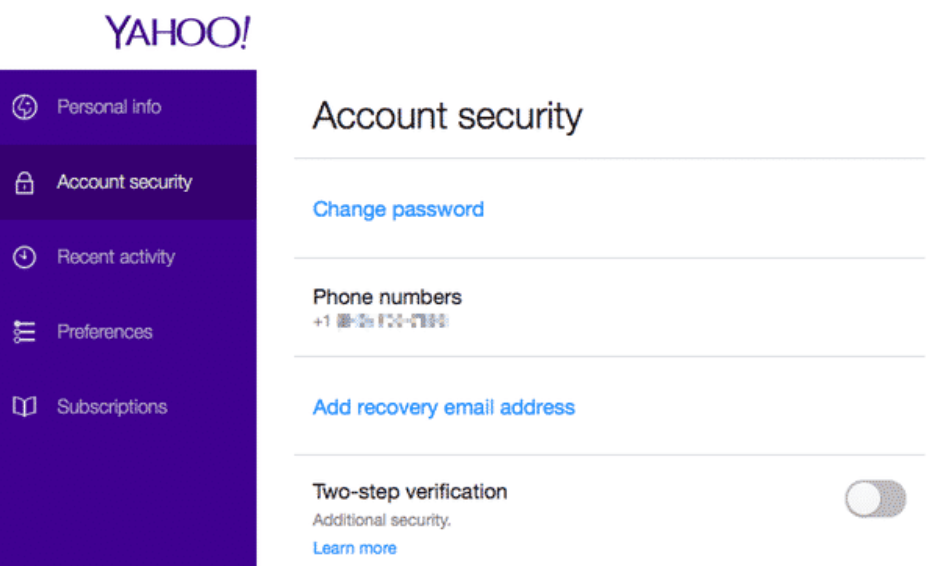
A strong password is one part of Yahoo account security. Recovery contacts, additional verification and app passwords also control who can sign in. Review them while you still have access; outdated recovery information can make a later lockout much harder to resolve.
Start from Yahoo, not a warning message
Open Yahoo’s Account Security page through your signed-in account. Do not enter your password into a page linked by an unexpected caller or message. Yahoo states that it does not request your password through email or telephone calls. Security alerts deserve attention, but an alert should lead you to independently open your account and check what changed.
Keep recovery methods usable
Review the telephone numbers and alternative email addresses associated with the account. Keep methods you control and can access. Secure the recovery mailbox too. If a number or address is unfamiliar, use Yahoo’s official security instructions to remove an unauthorized method. Make sure a working replacement is available before removing your only usable recovery contact.
Set up a second sign-in step
- In Account Security, locate Ways of signing in and open 2-step verification.
- Select an available method, such as a telephone code, app notification or authenticator.
- Complete Yahoo’s setup prompts and retain access to that method.
Available choices depend on your account. Yahoo says authenticator setup requires at least two recovery methods. If you currently use Account Key, follow Yahoo’s instructions for switching methods instead of assuming both are enabled together. A second step reduces risk; it does not make an account impossible to compromise.
Check activity and app passwords after a suspicious change
Look for unexpected sign-ins, recovery edits and security notifications. Change a compromised or reused password to a unique one. Review app passwords separately: a third-party email program may have its own credential, which needs to be revoked if it is unfamiliar or no longer needed. Do not assume that changing your main password removes every other access route.
Sign out when you finish using a shared computer. Keep devices updated and avoid attachments or links you cannot verify. Deleting browsing history is not a substitute for signing out or securing an account.
If access has already been lost
Use Yahoo’s Sign-in Helper from its official account-help page. Provide information only in that provider flow. Recovery depends on Yahoo’s ability to verify ownership; this website cannot bypass its checks or guarantee that an inaccessible account will be restored.
Source review: 12 October 2026. Prepared by Number Customer Care Editorial Desk from the official documentation below. Menu labels and feature availability can vary by account, region and app version.
Official sources
- Secure your Yahoo account
- Yahoo two-step verification
- Yahoo security-change alerts
- Yahoo account and recovery help
Number Customer Care is an independent information website and is not affiliated with the companies mentioned. We cannot access, recover or change your account. Use the provider’s own website for account-specific assistance.